
Smart PBR Engine Core
Version: SPV E4.0.1
————————————————————————————————————————————-——————————-———-—
Blender Add-on Installation Guide
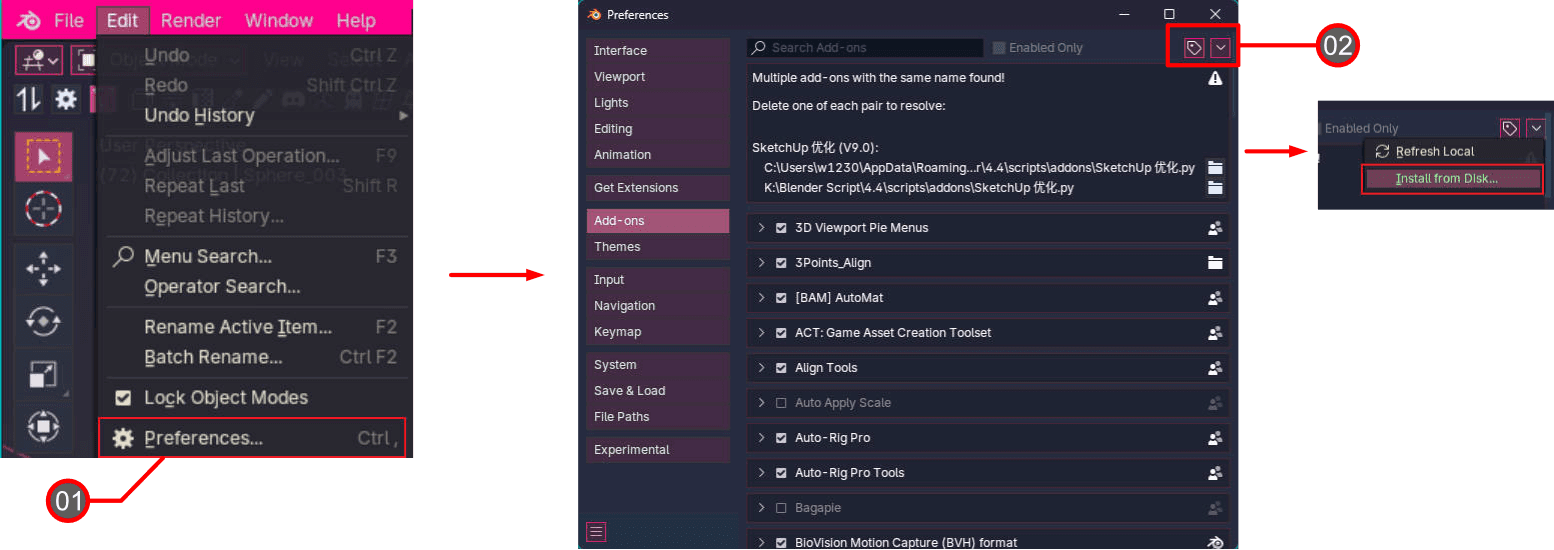
Go to the top-left menu in Blender, then click Edit → Preferences.
Select the Add-ons tab, click the drop-down arrow in the top right corner, and choose Install from Disk...
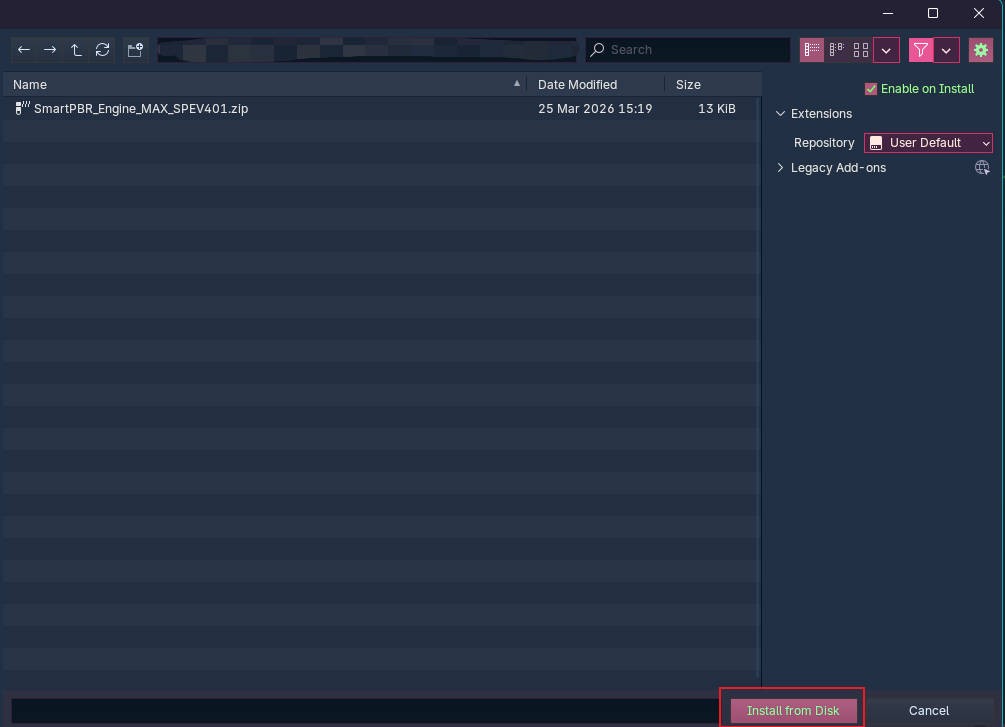
Locate your downloaded
.zipfile, select it, and click Install.
How to installation Blender Add-on
————————————————————————————————————————————-——————————-———-—-—-
Core UI & Automated Workflow Over
S1 Block: Name Batch Match
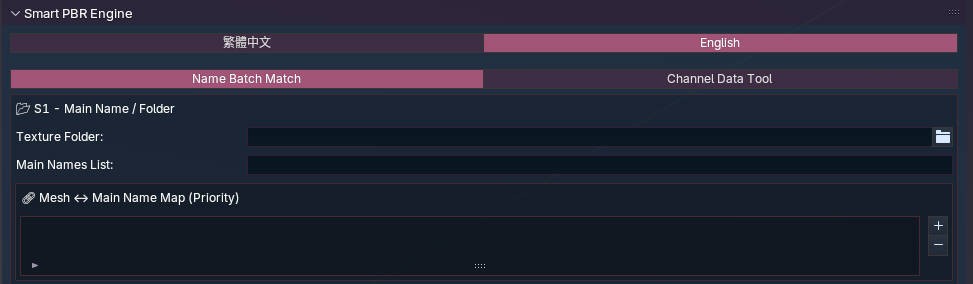
The S1 block handles the batch alignment of your Mesh and Texture folders.
S2 Block: Channel Keywords Setup

Precision is key. In the S2 block, you can define custom keywords for up to 9 PBR channels (BaseColor, MRAO, Metallic, Roughness, Normal, etc.). The engine will accurately fetch and link the corresponding textures based on your setup.
Export Settings: The Export Settings feature allows you to memorize your currently configured suffix names and save them as a JSON file.
The Import Settings feature lets you import your saved suffix settings, so you don't need to reconfigure them for every task.
S3 Block: Smart Shader Creation

After defining your Shader prefix and settings, simply click "One-Click Create Shaders". The system will instantly generate all materials and connect the complex PBR node trees for you in seconds.
S4 Block: Name Batch Match Results
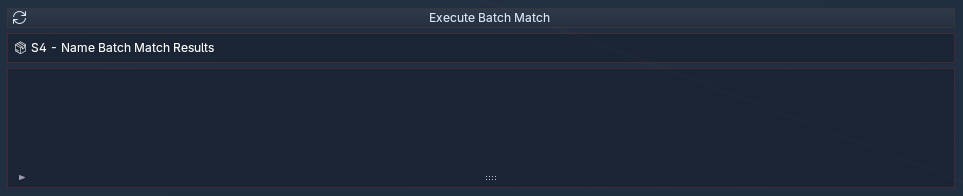
The S4 block displays the batch matching results from S1, allowing you to quickly inspect and verify the data, ensuring a 100% error-free setup before final export.
————————————————————————————————————————————-——————————-———-—-—-
S1 Module - Batch Matching Mesh & Texture Folders
————————————————————————————————————————————-——————————-———-—-—-
S2 & S3 - Custom PBR Channels & 1-Click Shader Generation
————————————————————————————————————————————-——————————-———-—-—-
S4 Module - Batch Matching Inspection & Validation
————————————————————————————————————————————-——————————-———-—-—-
Blender Showcase - Full PBR Material Automation Workflow
————————————————————————————————————————————-——————————-———-—-—-
Advanced Techniques
————————————————————————————————————————————-——————————-———-—-—-

Discover More


Stay Updated with New Assets
Never miss new releases, limited time discounts, and exclusive Art Meow news.